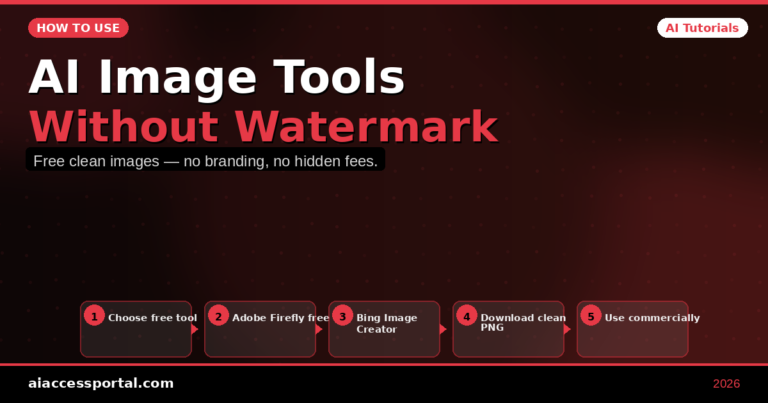
Learning how to use AI image tools without watermark is one of the most searched topics among content creators, designers, and marketers who generate AI images in 2026. Watermarks on AI-generated images are frustrating — they make professional use impossible, ruin thumbnail designs, and force users to either pay for subscriptions or live with branded images they cannot actually use. The good news: there are multiple legitimate ways to get clean, watermark-free AI images in 2026, including several completely free options that require no payment or subscription.
This complete guide covers every method for how to use AI image tools without watermark — from genuinely free no-watermark generators to affordable paid options, with honest details on what each tool delivers and where the real limitations lie.
Why AI Image Tools Add Watermarks — And How to Avoid Them
AI image generators add watermarks for two reasons: to protect intellectual property on commercial images and to incentivize free users to upgrade to paid plans. Understanding this distinction is the first step in knowing how to use AI image tools without watermark legitimately.
Intellectual property watermarks: Some tools watermark images because they want attribution or have licensing restrictions on commercial use. Removing these watermarks without permission is a terms of service violation.
Upsell watermarks: Many tools add watermarks specifically to push free users toward paid plans. These watermarks exist on images you technically own — and the solution is either using the tool’s paid plan or choosing a different tool that does not watermark free outputs.
The methods below focus on the second category — finding legitimate no-watermark AI image tools and free options rather than removing watermarks from images where you do not have permission.
Best AI Image Tools Without Watermark — Free Options 2026
1. Adobe Firefly — Best Free AI Image Tool with No Watermark
Free plan: Yes — 25 generative credits/month, no watermark on downloads
Access: firefly.adobe.com — free Adobe account required
Adobe Firefly is the best free AI image generator that produces completely watermark-free downloads on the free plan. Adobe applies a Content Credentials tag embedded in the file metadata (not a visible watermark) for transparency purposes — but the image you download and use looks completely clean with no visible branding.
How to use Adobe Firefly free without watermark:
- Go to firefly.adobe.com
- Create a free Adobe account (no credit card required)
- Use Text to Image to generate any image from a description
- Click the download button — you receive a clean, watermark-free image
- 25 free credits per month reset monthly
What you can create: Photorealistic images, illustrations, digital art, backgrounds, textures, and product mockups. Particularly strong for professional, commercial-grade imagery.
2. Canva AI — Best Free Watermark-Free AI Image Tool for Designs
Free plan: Yes — free generated images with no visible watermark in Canva
Access: canva.com — free Canva account required
Canva’s AI image generation (Magic Media and Text to Image) produces images that can be used directly in Canva designs and exported without visible watermarks on the free plan. When you generate an image in Canva and include it in a design — a social media post, a presentation, a document — the download comes clean.
How to use Canva AI without watermark:
- Create a free Canva account at canva.com
- Open any design (Instagram post, presentation, etc.)
- Click Apps → AI Image Generator or Text to Image
- Describe the image you want to create
- Insert the generated image into your design
- Download your design — no watermark on standard PNG/JPG export
Limitation: Some Canva elements have watermarks if you use Pro-only design assets. AI-generated images themselves are clean — just avoid Pro-watermarked stock elements.
3. Craiyon (formerly DALL-E mini) — Completely Free, No Watermark, No Account
Free plan: Yes — unlimited free generations, no watermark
Access: craiyon.com — no account required
Craiyon is the most genuinely free option for how to use AI image tools without watermark — no account, no credits, no watermarks on downloads. The image quality is lower than Midjourney or Adobe Firefly, but for quick concept generation, blog images, and social media content that does not need photorealistic quality, Craiyon is a fast, zero-cost option.
How to use Craiyon without watermark:
- Go to craiyon.com
- Type your image description in the box
- Click Draw — generates 9 image variations in about 45 seconds
- Click any image to enlarge
- Right-click → Save image — completely clean download, no watermark
Best for: Conceptual images, abstract art, social media graphics, and blog post illustrations where photorealism is not required.
4. Stable Diffusion (Local) — Unlimited Free AI Images With No Watermark
Free plan: Completely free — unlimited generations, zero watermarks
Access: Download locally from Automatic1111 or ComfyUI
Running Stable Diffusion locally on your own computer produces completely watermark-free images with no monthly limits, no credits, and no accounts — because it runs entirely offline on your machine. This is the technically unlimited solution for how to use AI image tools without watermark.
How to access Stable Diffusion free without watermark:
- Your computer needs a dedicated GPU (NVIDIA recommended) with at least 6GB VRAM
- Download Automatic1111 (the most popular Stable Diffusion interface) from GitHub
- Follow the installation instructions for Windows or Mac
- Download a model (Realistic Vision, DreamShaper, or SDXL are popular choices)
- Run the web interface locally and generate unlimited images
Limitation: Requires technical setup (30 to 60 minutes for first-time installation) and a computer with sufficient GPU power. Not suitable for mobile users or those without capable hardware.
Cloud alternative: Several websites run Stable Diffusion in the cloud — Mage.space offers free Stable Diffusion generation with no watermarks on downloaded images, with a rate limit that resets daily.
5. Bing Image Creator (Microsoft Designer) — Free AI Images Without Watermark
Free plan: Yes — free daily credits with Microsoft account
Access: bing.com/images/create — free Microsoft account required
Microsoft’s Bing Image Creator (powered by DALL-E 3) provides free AI image generation through your free Microsoft or Outlook account. Generated images download without visible watermarks and the quality is comparable to DALL-E 3 — significantly better than Craiyon.
How to use Bing Image Creator free without watermark:
- Go to bing.com/images/create
- Sign in with any free Microsoft or Outlook account
- Type your image description and click Create
- Browse the 4 generated variations
- Click any image → Download — clean file with no visible watermark
- Free daily credit allowance (boosted credits for daily visitors)
Why it works: Microsoft provides this service free as part of their AI ecosystem strategy — the images are yours to use and download cleanly.
6. Ideogram — Best Free AI Image Tool for Text in Images Without Watermark
Free plan: Yes — 10 free priority generations/day, no watermark
Access: ideogram.ai — free account required
Ideogram is uniquely valuable among no-watermark AI image tools for one specific capability: generating images that contain readable, accurate text. Most AI image generators produce garbled, nonsensical text when asked to include words in images. Ideogram consistently produces clean, readable text — making it the best free tool for creating social media graphics, thumbnail text, and any image that needs words in it.
How to use Ideogram free without watermark:
- Create a free Ideogram account at ideogram.ai
- Type your image description including any text you want to appear in the image
- Select style and aspect ratio
- Generate — 10 priority generations per day free
- Download — completely clean, no watermark
Paid AI Image Tools With the Most Generous Free Access
For users who need higher quality or more generations than free tools provide, these paid tools offer the most generous free access before requiring payment:
Midjourney — Highest Quality but Requires Discord
Midjourney produces the highest quality AI images available in 2026 — but the free trial was discontinued. A subscription starting at $10/month is required. No watermarks on any paid plan. For professional content creation where image quality matters most, Midjourney remains the benchmark.
Leonardo.ai — Best Freemium AI Image Tool
Leonardo.ai provides 150 free image generations per day with no watermarks. The quality rivals Midjourney at mid-tier settings. Create a free account at leonardo.ai and start generating immediately — the daily free allowance is generous enough for most casual users.
Complete Comparison: How to Use AI Image Tools Without Watermark
| Tool | Free Plan | Watermark | Account Needed | Image Quality |
|---|---|---|---|---|
| Adobe Firefly | 25 credits/mo | None ✅ | Free Adobe | ⭐⭐⭐⭐⭐ |
| Canva AI | Unlimited in designs | None ✅ | Free Canva | ⭐⭐⭐⭐ |
| Craiyon | Unlimited | None ✅ | None required | ⭐⭐⭐ |
| Stable Diffusion | Unlimited (local) | None ✅ | None | ⭐⭐⭐⭐⭐ |
| Bing Image Creator | Daily credits | None ✅ | Free Microsoft | ⭐⭐⭐⭐⭐ |
| Ideogram | 10 priority/day | None ✅ | Free account | ⭐⭐⭐⭐ |
| Leonardo.ai | 150 generations/day | None ✅ | Free account | ⭐⭐⭐⭐⭐ |
Choosing the Right No-Watermark AI Image Tool for Your Use Case
For professional marketing and commercial content: Adobe Firefly free (25 credits/month) — cleanest commercial license, highest professional quality
For social media graphics with text: Ideogram free (10/day) — only tool that reliably produces readable text in images
For unlimited free images: Craiyon (no account) or Stable Diffusion local (requires GPU setup)
For high quality with generous daily free access: Leonardo.ai (150/day) — best balance of quality and free availability
For Windows users with Microsoft account: Bing Image Creator — DALL-E 3 quality at zero cost
For designers using Canva: Canva AI — integrated into your existing design workflow
5 Tips for Getting Better Results From Free No-Watermark AI Image Tools
1. Be specific and detailed in your prompts “A cozy coffee shop interior, warm lighting, wooden tables, plants, morning sunlight through large windows, photorealistic, 4K” produces far better results than “coffee shop.”
2. Specify the style you want Include style descriptors: photorealistic, oil painting, digital art, watercolor, 3D render, flat design, cinematic. Most AI tools respond well to style guidance.
3. Specify aspect ratio for your platform Many tools let you choose portrait (9:16 for Reels/TikTok), landscape (16:9 for YouTube thumbnails), or square (1:1 for Instagram). Choosing the right ratio before generating saves cropping time.
4. Generate multiple variations and select the best Always generate 4 to 9 variations of any image prompt and select the strongest result. The first image is rarely the best one.
5. Use negative prompts when available Tell the tool what you do NOT want: “no text, no watermark, no blurry faces, no distorted hands.” Negative prompts dramatically improve output quality in tools that support them (Stable Diffusion, Leonardo.ai).
Frequently Asked Questions
Is it legal to use AI-generated images commercially without watermarks?
It depends on the tool’s license. Adobe Firefly, Bing Image Creator, Canva AI, and Leonardo.ai all allow commercial use of generated images on their free plans (verify current terms on each platform). Craiyon’s commercial use terms allow personal and commercial use with attribution in some cases — review their current policy. Always check the specific terms of service of whichever tool you use for commercial content.
Can I remove watermarks from AI images I have already generated?
Removing watermarks without permission from the tool that generated the image is a terms of service violation on most platforms. The legitimate approach is to use one of the no-watermark tools listed above for your future image generation needs, rather than removing watermarks from existing images.
Why do some free AI image tools suddenly start adding watermarks?
AI image tools change their free tier policies as their business models evolve. A tool that offered no-watermark downloads yesterday may add watermarks today after a policy update. The tools in this guide were verified as watermark-free as of May 2026 — always check current terms before beginning a project that depends on clean image downloads.
Final Verdict: How to Use AI Image Tools Without Watermark 2026
Knowing how to use AI image tools without watermark in 2026 starts with choosing the right tool for your needs. For most users, Adobe Firefly’s free 25 monthly credits provide the highest-quality commercial-ready images at zero cost. For daily high-volume generation, Leonardo.ai’s 150 free daily generations are unmatched in the freemium category. For zero-account quick image generation, Craiyon works immediately with no registration and no watermarks. For users with capable hardware, Stable Diffusion running locally provides unlimited watermark-free generation indefinitely. The clean, professional images you need for your content are available — completely free — through the right combination of these tools.
Explore more AI image tool guides at aiaccessportal.com