Introduction
If you are searching for how to use AI voiceover for YouTube videos, you are not alone. Thousands of content creators in the USA are now using AI voice tools to create YouTube videos faster without recording their own voice manually. Modern AI voice generators can produce realistic narration for tutorials, faceless YouTube channels, educational content, reviews, and storytelling videos. Learning how to use AI voiceover for YouTube videos can help beginners save time, improve audio quality, and publish content more consistently even without expensive microphones or professional recording studios.
Why Creators Are Using AI Voiceover for YouTube Videos
The popularity of AI voiceover for YouTube videos has increased rapidly over the last few years.
Many creators struggle with:
- Background noise
- Poor microphones
- Lack of confidence
- Accent concerns
- Limited recording space
- Time-consuming retakes
AI narration helps solve many of these problems.
Instead of recording audio manually for every video, creators can generate voiceovers within minutes using text-to-speech technology.
This makes video production much easier, especially for:
- Faceless YouTube channels
- Tutorial videos
- Educational channels
- Business explainers
- AI content creators
- Documentary channels
For many beginners, AI voice tools reduce the stress of content creation.
What Is AI Voiceover for YouTube Videos?
AI voiceover for YouTube videos refers to computer-generated narration created using artificial intelligence.
You simply type your script into an AI voice tool, and the software converts the text into spoken audio.
Modern AI narration tools can generate:
- Male and female voices
- Different accents
- Emotional speaking styles
- Natural pauses
- Conversational tones
Some advanced tools even allow voice cloning features.
Compared to older robotic text-to-speech systems, modern AI voiceovers sound far more realistic and human-like.
This is one reason why many YouTubers now use AI-generated narration in their videos.
Best AI Voiceover Tools for YouTube Videos
Choosing the right AI voice generator is important because voice quality can affect viewer retention and engagement.
Here are some popular tools many creators use for AI voiceover for YouTube videos.
ElevenLabs
ElevenLabs is known for highly realistic AI narration.
Many creators use it for:
- Storytelling channels
- Documentary videos
- Educational content
- Professional narration
Its emotional voice styles sound more natural than many traditional text-to-speech tools.
Murf AI
Murf AI is beginner-friendly and simple to use.
It provides:
- Multiple accents
- Natural voices
- Voice customization
- Commercial use options
It works well for tutorials and business videos.
PlayHT
PlayHT supports many languages and realistic voices.
It is useful for creators targeting international audiences.
Descript
Descript combines AI voice tools with video editing features.
Creators can edit videos by editing text, which saves time during production.
How to Use AI Voiceover for YouTube Videos Step by Step
Learning how to use AI voiceover for YouTube videos is easier than many beginners expect.
Here is a simple process most creators follow.
Step 1 – Write a Natural Script
The quality of your script directly affects narration quality.
AI voices sound better when scripts feel conversational.
Instead of writing overly formal sentences, use natural language that sounds like real speech.
For example:
Instead of:
“Today we shall discuss productivity strategies.”
Write:
“Today, I’ll show you productivity tips that actually work.”
This helps AI narration sound more human.
Step 2 – Choose an AI Voice Generator
Select a voice tool based on:
- Budget
- Voice realism
- Editing features
- Language support
- Commercial rights
Free tools may work initially, but premium tools usually provide more realistic narration.
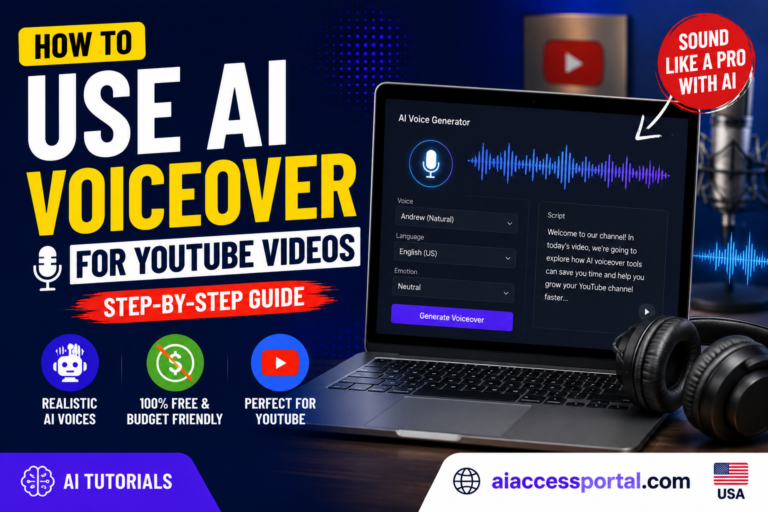
Step 3 – Paste Your Script
After selecting your AI tool:
- Paste your script
- Choose a voice
- Select accent and tone
- Adjust speaking speed
Most platforms allow you to preview narration before exporting audio.
Take time to test multiple voices.
A realistic voice can improve audience retention significantly.
Step 4 – Download the Voiceover
Once satisfied with the narration:
- Export the audio file
- Download it in MP3 or WAV format
- Import it into your video editing software
Now your AI voiceover is ready for YouTube videos.
How to Make AI Voiceover for YouTube Videos Sound More Human
One of the biggest mistakes beginners make is using robotic narration.
The best AI voiceover for YouTube videos sounds natural and conversational.
Here are some important tips.
Use Conversational Writing
Write the way real people speak.
Short sentences usually sound better than long complex paragraphs.
Add Proper Punctuation
Punctuation affects pacing.
Using commas and periods correctly helps AI voices pause naturally.
Avoid Difficult Words
Complicated words sometimes create awkward pronunciation.
Simple language usually produces smoother narration.
Test Multiple Voices
Not every AI voice sounds realistic.
Experiment with different voice styles until you find one that fits your channel.
Best YouTube Niches for AI Voiceover Videos
AI narration works especially well in certain YouTube categories.
Educational Videos
Tutorials and learning content often perform well with AI narration.
Tech Channels
Technology and AI-related channels frequently use AI voiceovers.
Motivation Videos
Motivational channels often combine AI narration with cinematic visuals.
Finance and Business
Professional AI voices work well for finance explainers.
Documentary and Facts Videos
Many faceless documentary channels rely on AI narration successfully.
Benefits of Using AI Voiceover for YouTube Videos
There are many advantages to using AI narration for YouTube content.
Faster Video Production
Creators can generate narration quickly without repeated recordings.
Lower Equipment Costs
You do not need expensive microphones or soundproof studios.
Easier Editing
You can edit scripts instantly without re-recording audio manually.
Consistent Voice Quality
AI tools maintain stable audio quality across videos.
Helpful for Faceless Channels
AI narration allows creators to stay anonymous while still publishing content regularly.
Common Mistakes When Using AI Voiceover for YouTube Videos
While AI voice technology is useful, there are mistakes beginners should avoid.
Using Robotic Voices
Low-quality narration can reduce watch time.
Choose realistic voices whenever possible.
Copying Scripts From Other Channels
Always create original content.
Copied material can create copyright and monetization problems.
Uploading Low-Quality Videos
AI tools should improve content quality, not replace creativity completely.
Ignoring Audio Editing
Even good AI narration benefits from editing and sound balancing.
Can You Monetize AI Voiceover for YouTube Videos?
Yes, many AI-narrated YouTube channels are monetized successfully.
However, YouTube focuses heavily on originality and viewer value.
Channels with:
- Unique scripts
- Good editing
- Helpful information
- Creative storytelling
can perform very well even with AI narration.
Simply generating repetitive low-effort content is unlikely to succeed long term.
The most successful creators combine AI efficiency with human creativity.
Is AI Voiceover Better Than Human Narration?
Both approaches have advantages.
Human narration usually feels:
- More personal
- More emotional
- More authentic
However, AI voiceover for YouTube videos offers:
- Faster production
- Easier editing
- Lower costs
- Consistency
Many creators use both methods depending on their content style.
FAQs
Is AI voiceover for YouTube videos allowed?
Yes, YouTube generally allows AI narration as long as content follows platform policies.
Can AI voiceover channels get monetized?
Yes, original and high-quality AI voice channels can qualify for monetization.
Which AI voice tool sounds most realistic?
Many creators consider ElevenLabs one of the most realistic AI voice platforms available today.
Is AI voiceover free?
Some tools offer free plans, while premium features usually require subscriptions.
Can beginners use AI voiceover for YouTube videos?
Yes, many AI voice tools are beginner-friendly and easy to use.
Does AI narration work for faceless channels?
Yes, AI voiceovers are extremely common for faceless YouTube content.
Are AI voices improving?
Yes, modern AI narration sounds much more realistic than older text-to-speech systems.
Conclusion
Learning how to use AI voiceover for YouTube videos can help creators produce content faster, improve workflow, and reduce the challenges of manual recording.
Modern AI voice tools now provide realistic narration that works well for tutorials, educational content, storytelling, business videos, and faceless YouTube channels.
At the same time, successful YouTube channels still depend heavily on creativity, originality, strong scripting, and audience engagement. AI narration works best when combined with human ideas and thoughtful editing.
Instead of replacing creators completely, AI voiceover tools are becoming powerful assistants that help YouTubers publish content more efficiently while maintaining professional audio quality.
As AI technology continues improving, more creators will likely use AI voiceover for YouTube videos to grow their channels and simplify content production.