Millions of Americans search every month for how to use ChatGPT for free without account — and the good news in 2026 is that OpenAI has made this genuinely possible. You no longer need to sign up, verify your email, or create any kind of profile to start using ChatGPT immediately. This complete guide covers every method for how to use ChatGPT for free without account, what you can and cannot do in no-login mode, the best alternative tools that also require zero signup, and practical tips for getting the most out of free ChatGPT access starting right now.
Can You Really Use ChatGPT for Free Without an Account in 2026?
Yes — completely. OpenAI introduced no-login access to ChatGPT in 2024 and has maintained it through 2026. When you visit chat.openai.com without being logged in, you are immediately dropped into a chat interface powered by GPT-4o mini. No signup prompt appears before you can start typing. No email verification required. No credit card. You just open the page and start chatting.
There are limitations compared to a logged-in free account — which are covered in detail below — but for casual use, quick questions, writing help, and exploring what ChatGPT can do, the no-account experience is fully functional and completely free.
How to Use ChatGPT for Free Without Account — Step by Step
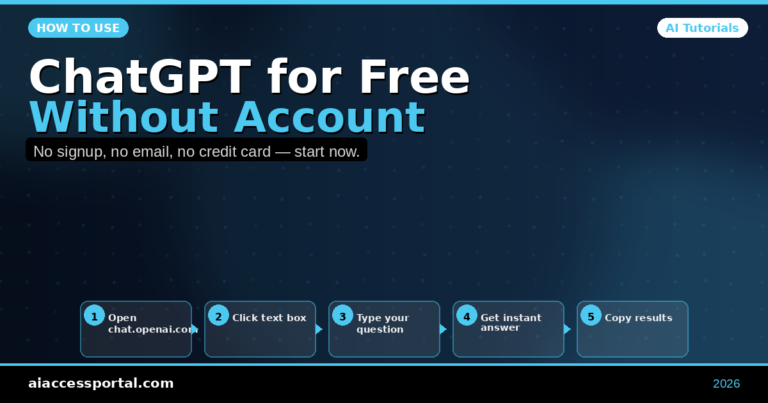
Step 1: Open the ChatGPT Website
Go to chat.openai.com in any browser on any device. You will see the ChatGPT interface load immediately. There may be a brief message noting that you are using ChatGPT without an account — dismiss it and start typing.
Step 2: Type Your First Message
Click the message box at the bottom of the screen and type any question or request. Examples:
- “Explain how machine learning works in simple terms”
- “Write a professional email declining a meeting invitation”
- “Give me 10 business name ideas for a pet grooming service”
Step 3: Read and Continue the Conversation
ChatGPT responds immediately. You can ask follow-up questions, ask it to rewrite, expand, shorten, or change the tone of any response — just as you would in a full logged-in session.
Step 4: Copy Your Results
Since you have no account, conversations are not saved. Copy anything useful before closing the browser tab — your chat history disappears when the session ends.
What You Can Do Using ChatGPT Free Without Account
Learning how to use ChatGPT for free without account means understanding what is available in no-login mode in 2026:
- Ask any question — factual, creative, technical, or conversational
- Write and edit text — emails, essays, cover letters, product descriptions, social posts
- Get explanations — any topic explained simply or in technical depth
- Brainstorm ideas — business ideas, content topics, names, slogans, gift ideas
- Summarize content — paste any text and ask for a summary
- Write code — basic coding help and debugging in Python, JavaScript, HTML, and more
- Translation — translate text between languages
- Math help — solve problems and explain solutions step by step
What You Cannot Do Without a ChatGPT Account
Knowing the limits is part of knowing how to use ChatGPT for free without account effectively:
| Feature | No Account | Free Account | ChatGPT Plus |
|---|---|---|---|
| Chat access | ✅ | ✅ | ✅ |
| Chat history saved | ❌ | ✅ | ✅ |
| File uploads | ❌ | ❌ | ✅ |
| Image generation (DALL-E) | ❌ | Limited | ✅ |
| GPT-4o access | Limited | Limited | ✅ Full |
| Custom GPTs | ❌ | ✅ | ✅ |
| Memory feature | ❌ | ✅ | ✅ |
| Voice mode | ❌ | Limited | ✅ |
The most practical limitation for no-account users is the lack of saved history — every new browser session starts fresh with no memory of previous conversations.
Best Ways to Use ChatGPT Free Without Account in 2026
For Writing Help
How to use ChatGPT for free without account for writing: open a fresh tab, paste your draft or describe what you need, and ask for help. Common requests that work perfectly without an account:
- “Rewrite this paragraph to sound more professional: [paste text]”
- “Write a 200-word bio for my LinkedIn profile. I am a marketing manager with 8 years of experience in digital advertising.”
- “Proofread this email and fix any grammar issues: [paste email]”
For Research and Learning
- “Explain the difference between LLC and S-Corp for a small business owner in the USA”
- “What are the main causes of inflation and how does the Federal Reserve respond to it?”
- “Summarize the key arguments for and against remote work policies”
For Business and Career Tasks
- “Write 5 interview questions for a junior graphic designer position”
- “Create a simple project timeline for launching a new product in 3 months”
- “Write a follow-up email to a client who has not responded in two weeks”
Alternative Ways to Use AI Chatbots Free Without Account
Beyond knowing how to use ChatGPT for free without account, several other powerful AI tools also offer no-signup access in 2026:
1. Microsoft Copilot — Free, No Account Required
Go to copilot.microsoft.com and start chatting immediately. Copilot runs on GPT-4 and provides web search access — meaning it can answer questions about current events with source links. No Microsoft account required for basic use.
2. Perplexity AI — Free, No Account Required
Visit perplexity.ai and search or ask any question. Every answer comes with cited, clickable sources — making it the best no-account AI tool for research. Real-time web access included.
3. Claude by Anthropic — Limited No-Account Access
Visit claude.ai — Claude offers limited interaction without an account before prompting signup. For a few quick questions it works without registration.
4. Google Gemini — Google Account Recommended but Not Always Required
Visit gemini.google.com — some regional access works without a Google account, though full features require a Google login which is free to create.
How to Use ChatGPT for Free Without Account — Tips for Getting Better Results
Be specific and detailed in your requests “Write an email” produces generic results. “Write a professional but friendly follow-up email to a client named David who attended our product demo last Tuesday and has not responded” produces a usable email immediately.
Give context about yourself and your goal “I am a first-year nursing student. Explain the difference between arteries and veins in simple language I can use to study for an anatomy exam.”
Ask for multiple options “Give me 5 different versions of this headline, each with a different tone: urgent, friendly, curious, bold, and professional.”
Use it as a conversation Do not stop at the first response. Refine with follow-ups: “Make it shorter,” “Add more detail about X,” “Change the tone to be less formal.”
Copy results immediately Since conversations are not saved without an account, copy anything useful before closing the tab. Use a notes app or document to store results you want to keep.
Is ChatGPT Free Without Account Safe to Use?
Yes — using ChatGPT without creating an account is safe. However, there are two privacy considerations to be aware of:
Do not share personal information. Whether logged in or not, avoid including real names, addresses, Social Security numbers, financial information, or sensitive medical details in your ChatGPT conversations.
OpenAI may use no-account conversations for training. Creating a free account and opting out of training data collection provides more control over how your conversations are used. Without an account, you have no opt-out mechanism.
For general writing, learning, and productivity tasks — the most common use cases for how to use ChatGPT for free without account — these considerations are minimal. For sensitive professional or personal matters, consider using a free account with appropriate privacy settings.
Frequently Asked Questions
Does ChatGPT still offer free access without an account in 2026?
Yes. As of May 2026, OpenAI continues to provide no-login access to ChatGPT at chat.openai.com. The free no-account experience uses GPT-4o mini and has usage limits that reset periodically.
How many messages can I send on ChatGPT without an account?
OpenAI does not publish specific message limits for no-account access, but usage limits do apply. If you hit a limit, you receive a message suggesting you create a free account or wait before continuing. Creating a free account (which requires only an email address) increases your message allowance significantly.
Is the no-account ChatGPT as good as the paid version?
The no-account version uses GPT-4o mini — a capable model for most everyday tasks. ChatGPT Plus uses the full GPT-4o model, which produces more nuanced responses, handles complex reasoning better, and includes features like file uploads, image generation, and higher message limits. For basic writing, research, and learning tasks, the free no-account version is entirely sufficient.
Can I use ChatGPT without an account on my phone?
Yes — visit chat.openai.com in your mobile browser and the no-account experience works on iPhone and Android. The ChatGPT mobile app requires an account, so browser access is the correct path for no-account mobile use.
Final Verdict: How to Use ChatGPT for Free Without Account in 2026
Knowing how to use ChatGPT for free without account in 2026 is simpler than most people expect — go to chat.openai.com, start typing, get immediate results. The no-account experience is genuinely useful for writing help, research, brainstorming, and learning without any registration barrier. For users who find ChatGPT valuable and want saved chat history, a free account takes less than two minutes to create. For users who want the most powerful AI experience, ChatGPT Plus at $20/month unlocks the full GPT-4o model. But for trying it right now, today, with zero commitment — the no-account path works perfectly.
Explore more free AI tool guides at aiaccessportal.com