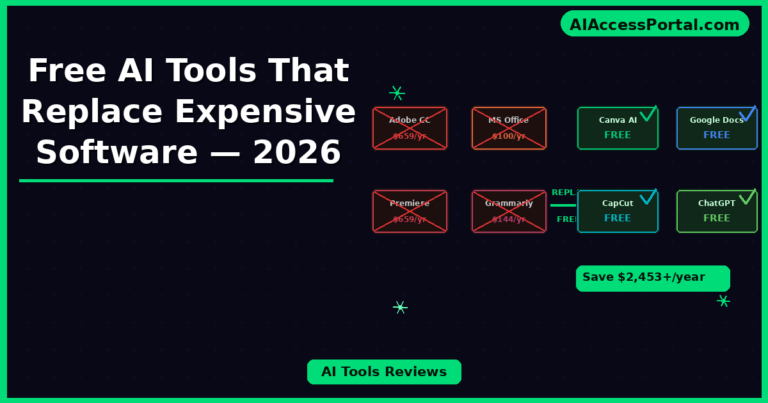
Software subscriptions have quietly become one of the biggest hidden costs for individuals, freelancers, and small businesses — Adobe Creative Cloud, Microsoft Office, project management platforms, video editing suites, grammar tools, and design software can easily add up to hundreds of dollars every month. In 2026, however, the landscape has changed dramatically. There is now a growing list of free AI tools that replace expensive software — free AI-powered alternatives that genuinely match or exceed the capabilities of tools people have been paying for for years. This complete guide covers the best free AI tools that replace expensive software, category by category, with honest assessments of how well each one actually performs.
Why Free AI Tools That Replace Expensive Software Are Now Possible
The reason free AI tools that replace expensive software have become viable in 2026 comes down to three factors. First, the underlying AI models have become dramatically more capable — what required expensive infrastructure two years ago can now run efficiently at much lower cost. Second, competition between AI companies has pushed free tiers to be genuinely useful rather than deliberately crippled. Third, browser-based AI tools have eliminated the need for expensive local software installations entirely — the processing happens in the cloud, and you access it for free through a browser.
The result is that individuals and businesses who pay attention now have access to free AI tools that replace expensive software across virtually every major software category — design, writing, video editing, coding, project management, and more.
Free AI Tools That Replace Expensive Software — By Category
Replaces Adobe Photoshop — Free AI Image Editing Tools
Adobe Firefly (Free Tier) — Best Free Photoshop Alternative
Adobe Firefly’s free tier gives you access to generative fill, background removal, object replacement, and AI-powered image generation — the exact features most casual Photoshop users actually need — without the $54.99/month Creative Cloud subscription. For users who need Photoshop for occasional image editing rather than professional production work, Firefly free is one of the most capable free AI tools that replace expensive software available.
- Replaces: Adobe Photoshop ($54.99/month Creative Cloud)
- Free features: Generative fill, background removal, AI image generation, basic editing
- Limitation: Limited monthly credits on free tier
- Savings: Up to $659.88/year
Canva AI (Free Tier) — Best for Non-Designers
Canva’s free tier with AI features handles the vast majority of what non-professional designers need — social media graphics, presentations, thumbnails, posters, and basic photo editing — with background removal, Magic Edit, and AI generation included. For the enormous number of people paying for Adobe products to do tasks Canva handles better and for free, Canva AI is one of the most impactful free AI tools that replace expensive software in the design space.
- Replaces: Adobe Illustrator, basic Photoshop use ($54.99/month)
- Free features: 250,000+ templates, background remover, Magic Edit, AI image generation
- Limitation: Some premium templates require Pro ($15/month)
- Savings: Up to $659.88/year vs Creative Cloud
Replaces Microsoft Office — Free AI Writing and Productivity Tools
Google Docs + Gemini AI — Best Free Microsoft Word Alternative
Google Docs with Gemini AI integration gives you a fully functional word processor with AI writing assistance, document summarization, grammar checking, and content generation — completely free. For the vast majority of individuals and small businesses paying for Microsoft 365 subscriptions ($99.99/year) to use Word, Google Docs with Gemini is one of the most straightforward free AI tools that replace expensive software available.
- Replaces: Microsoft Word / Microsoft 365 ($99.99/year)
- Free features: Full word processing, real-time collaboration, Gemini AI writing assistance
- Limitation: Requires Google account; some advanced formatting differs from Word
- Savings: $99.99/year
ChatGPT Free — Best for Writing Assistance
For users paying for Grammarly Premium ($144/year) or similar writing tools, ChatGPT’s free tier handles grammar correction, style improvement, rewriting, tone adjustment, and content generation with capabilities that match or exceed most paid writing assistants. As one of the most versatile free AI tools that replace expensive software in the writing space, ChatGPT free delivers genuine value that previously required a premium subscription.
- Replaces: Grammarly Premium ($144/year), Jasper AI ($468/year)
- Free features: Grammar and style improvement, rewriting, content generation, tone adjustment
- Limitation: Daily message limits on free tier
- Savings: $144–$468/year
Replaces Video Editing Software — Free AI Video Tools
CapCut (Free) — Best Free Video Editing Alternative
CapCut has become one of the most widely used free AI tools that replace expensive software in the video editing space. It handles everything most content creators need — cuts, transitions, captions, effects, background removal, text overlays, and AI-powered features — at no cost. For creators paying for Adobe Premiere Pro ($54.99/month) to edit social media content, CapCut free is a genuine replacement for the majority of use cases.
- Replaces: Adobe Premiere Pro ($659.88/year), Final Cut Pro ($299.99 one-time)
- Free features: Full video editing, AI captions, background removal, templates, effects
- Limitation: CapCut watermark on some exports; limited to shorter projects for complex work
- Savings: Up to $659.88/year
Runway ML (Free Tier) — Best for AI Video Generation
Runway ML’s free tier gives you access to AI video generation, background removal, and video editing features that previously required both expensive software and expensive hardware. For creators who need occasional AI video generation or green screen removal, Runway free is one of the most capable free AI tools that replace expensive software in the creative video space.
- Replaces: After Effects ($54.99/month) for green screen and effects work
- Free features: 125 credits on signup, video generation, background removal
- Limitation: Limited monthly credits; watermark on some exports
- Savings: Up to $659.88/year vs After Effects
Replaces Transcription and Audio Software — Free AI Audio Tools
Whisper / Otter.ai Free — Best Free Transcription Alternative
For businesses and creators paying for transcription services at $1–3 per audio minute, AI transcription tools have made this one of the most dramatically disrupted software categories. Otter.ai’s free tier provides 300 minutes of transcription per month with high accuracy. OpenAI’s Whisper runs locally for completely unlimited free transcription. Both are among the most impactful free AI tools that replace expensive software for anyone who regularly transcribes audio.
- Replaces: Rev.com transcription ($1.50/minute), professional transcription services
- Free features: 300 minutes/month (Otter.ai free) or unlimited (Whisper local)
- Limitation: Monthly limits on Otter.ai free; Whisper requires technical setup
- Savings: Hundreds to thousands per year depending on volume
Replaces Project Management Software — Free AI Productivity Tools
Notion AI Free — Best Free Project Management Alternative
Notion’s free tier with AI features handles task management, note organization, project tracking, and team collaboration — covering most of what small teams pay for in tools like Asana ($13.49/user/month) or Monday.com ($9/user/month). As one of the most comprehensive free AI tools that replace expensive software in the productivity space, Notion free can realistically serve most individual and small team project management needs.
- Replaces: Asana Premium ($13.49/user/month), Monday.com ($9/user/month)
- Free features: Unlimited pages, basic collaboration, templates, AI writing (add-on)
- Limitation: AI features are a $10/month add-on; storage limits on free tier
- Savings: $108–$161.88/user/year
Replaces Coding Tools — Free AI Development Tools
GitHub Copilot Free / Cursor Free — Best Free Coding Assistant
GitHub Copilot now offers a free tier, and Cursor (built on Claude) offers a free plan — making AI-powered code completion and generation accessible without the $19/month GitHub Copilot Pro subscription. For developers who previously paid for AI coding assistants, these are among the most valuable free AI tools that replace expensive software in the development space.
- Replaces: GitHub Copilot Pro ($19/month), Tabnine Pro ($12/month)
- Free features: Code completion, explanation, debugging assistance, generation
- Limitation: Usage limits on free tiers; some features Pro-only
- Savings: $144–$228/year
Free AI Tools That Replace Expensive Software — Savings Calculator
| Expensive Software | Annual Cost | Free AI Replacement | Annual Savings |
|---|---|---|---|
| Adobe Creative Cloud | $659.88 | Canva AI + Firefly Free | $659.88 |
| Microsoft 365 | $99.99 | Google Docs + Gemini | $99.99 |
| Adobe Premiere Pro | $659.88 | CapCut Free | $659.88 |
| Grammarly Premium | $144.00 | ChatGPT Free | $144.00 |
| Asana Premium (per user) | $161.88 | Notion Free | $161.88 |
| GitHub Copilot Pro | $228.00 | Copilot Free / Cursor Free | $228.00 |
| Rev.com Transcription | $500–$2000+ | Otter.ai Free / Whisper | $500–$2000+ |
| Potential Total Savings | $2,453+/year | Free AI Alternatives | $2,453+/year |
Limitations of Free AI Tools That Replace Expensive Software
Being honest about limitations is essential when evaluating free AI tools that replace expensive software:
- Usage limits — most free tiers have monthly generation, credit, or message limits that professional users will hit
- Feature gaps — the most specialized professional features of paid software often remain paywalled even in AI alternatives
- Export restrictions — some free tools add watermarks or limit export quality
- Storage limits — cloud-based free tools typically cap storage
- Offline access — most free AI tools require internet connectivity
The sweet spot for free AI tools that replace expensive software is users with moderate needs — the tools work best when you genuinely need 80% of what paid software offers rather than the full professional feature set.
Frequently Asked Questions About Free AI Tools That Replace Expensive Software
Can free AI tools really replace expensive software?
For most individuals, freelancers, students, and small businesses — yes. Free AI tools that replace expensive software have reached a point where they genuinely handle the majority of real-world use cases without the cost. The caveat is that heavy professional users who need the full feature set of specialized software, offline access, or unlimited usage will still find paid tools worth the cost. For everyone else, the free AI alternatives have closed the gap dramatically.
What is the best free AI tool that replaces Adobe Creative Cloud?
The combination of Canva AI free (for design, graphics, and presentations) and Adobe Firefly free (for AI image generation and photo editing) replaces the most commonly used Creative Cloud features for non-professional users. Together they handle social media graphics, basic photo editing, AI generation, and design work without any subscription cost — saving up to $659.88 per year compared to Adobe Creative Cloud.
Is Google Docs as good as Microsoft Word?
For most everyday writing, collaboration, and document creation needs — yes. Google Docs handles formatting, real-time collaboration, commenting, and document sharing with full compatibility for Word files. The areas where Word maintains advantages are complex formatting for professional publishing, advanced mail merge, and specific organizational features. For the vast majority of users, Google Docs with Gemini AI is a genuine free replacement for Microsoft Word.
Are there free AI tools that replace Grammarly Premium?
Yes — ChatGPT’s free tier handles grammar correction, style improvement, tone adjustment, and rewriting with capabilities that match or exceed Grammarly Premium for most use cases. Claude free is another strong option for writing assistance and editing. The main advantage Grammarly Premium maintains is its real-time browser integration — it works inside any text field automatically, while ChatGPT requires you to paste text separately.
What free AI tools replace video editing software?
CapCut free is the most comprehensive free AI tool that replaces expensive video editing software for content creators — handling cuts, transitions, captions, effects, and AI features that previously required Adobe Premiere Pro or Final Cut Pro. For AI-specific video generation and effects, Runway ML’s free tier provides capabilities that previously required After Effects plus expensive plugins. Together they cover most social media video production needs at no cost.
Final Verdict: Free AI Tools That Replace Expensive Software 2026
The era of paying hundreds or thousands of dollars per year for software subscriptions when free AI alternatives exist is coming to an end for individuals and small businesses. The free AI tools that replace expensive software listed in this guide can realistically save the average user over $2,000 per year — money that was previously locked into subscription costs for tools that AI has now made genuinely replaceable. Start by identifying your highest software costs, find the free AI alternative in this guide, and spend one week testing it seriously before canceling your paid subscription. For most people, the switch will be permanent.